If we need to send you sensitive information, for example login usernames, we will do so in a secure ticket.
It is not best practice to send these sensitive credentials across the internet via email.
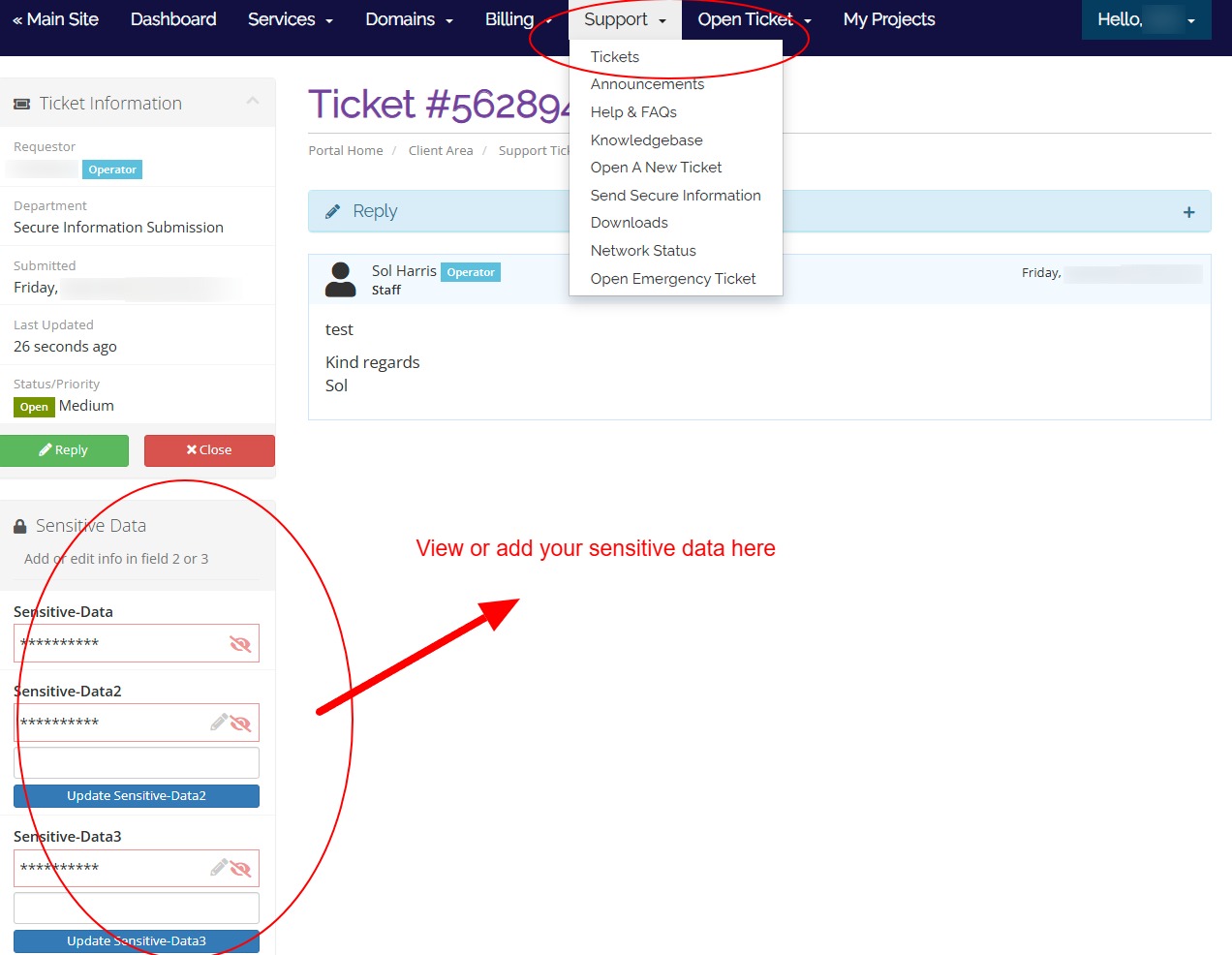
You will receive a "ticket" from us;
1) Login to your client account: https://www.purpledogdesign.com/clients/login
2) In the navigation, click Support > Tickets and access the relevant ticket.
3) In the sidebar, you will see the secure information. See the image below for a visual helper.
4) Click the "eye" icon to view it.
5) To edit / update or send us similar info on the open ticket, use field 2 or 3.
You can also open a new ticket to submit additional secure information be opening a new Secure ticket. Full details here.
This information will not be transmitted by email and is encrypted.